qt版本为5.12.5,Visual stdio 2015 安装qt插件:

https://mirrors.tuna.tsinghua.edu.cn/qt/official_releases/vsaddin/2.7.2/
vs2015 配置:

hello world 代码:
#include "HelloQT.h" #include <QApplication> #include <QLabel> int main(int argc, char *argv[]) { QApplication app(argc, argv); // HelloQT w; QLabel *label = new QLabel("Hello Qt!"); label->show(); return app.exec(); }

#include "HelloQT.h" #include <QApplication> #include <QLabel> int main(int argc, char *argv[]) { QApplication app(argc, argv); // HelloQT w; QLabel *label = new QLabel("<h2><i>Hello</i>" "<font color=red>Qt!</font></h2>"); label->show(); return app.exec(); }

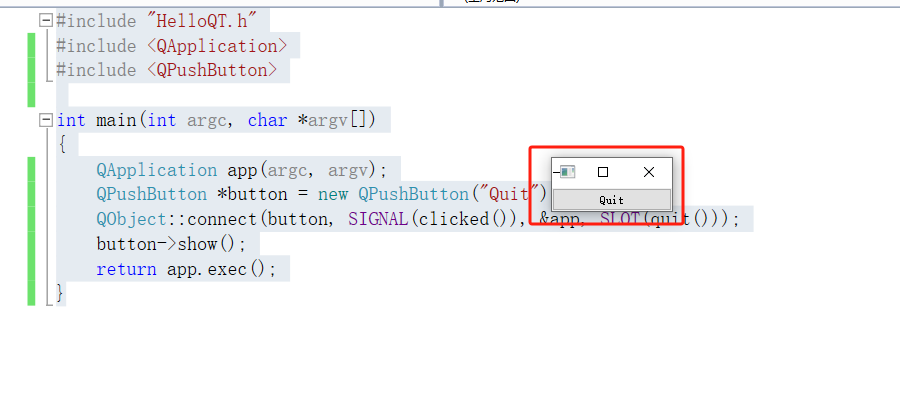
按钮实现退出
#include "HelloQT.h" #include <QApplication> #include <QPushButton> int main(int argc, char *argv[]) { QApplication app(argc, argv); QPushButton *button = new QPushButton("Quit"); QObject::connect(button, SIGNAL(clicked()), &app, SLOT(quit())); button->show(); return app.exec(); }
简单布局
#include "HelloQT.h" #include <QApplication> #include <QHBoxLayout> #include <QSlider> #include <QSpinBox> int main(int argc, char *argv[]) { QApplication app(argc, argv); QWidget *window = new QWidget; window->setWindowTitle("Enter Your Age"); QSpinBox *spinBox = new QSpinBox; QSlider *slider = new QSlider(Qt::Horizontal); spinBox->setRange(0, 130); slider->setRange(0, 130); // 保证二者值相等。 QObject::connect(spinBox, SIGNAL(valueChanged(int)), slider, SLOT(setValue(int))); QObject::connect(slider, SIGNAL(valueChanged(int)), spinBox, SLOT(setValue(int))); spinBox->setValue(35); QHBoxLayout *layout = new QHBoxLayout; layout->addWidget(spinBox); layout->addWidget(slider); window->setLayout(layout); window->show(); return app.exec(); }

布局会自动设置位置和大小, QT 会模拟平台视觉外观,使其看起来像本地程序,不同系统显示的外观不同。
QHBoxLayout *layout = new QHBoxLayout; // 水平排列,从左到右
//QVBoxLayout *layout = new QVBoxLayout; //  竖直排列,从上到下
//QGridLayout *layout = new QGridLayout; // 各个窗口排列在一个网格中

文章评论